KIROPHOTOS / YOUR PERSONAL MEMORY ATLAS
Keep the moments.Find the memories.
The places you go. The people you love. The little things.
Bring your photos together, and your stories back to life.
Made for iPhone · Requires iOS 17 or later

MORE THAN A PHOTO LIBRARY
A photograph.A way back to life.
Time, places, and people connect the moments scattered across your library. Give the stories worth keeping a place to return to.
01 / PHOTO MAP & TRAILS
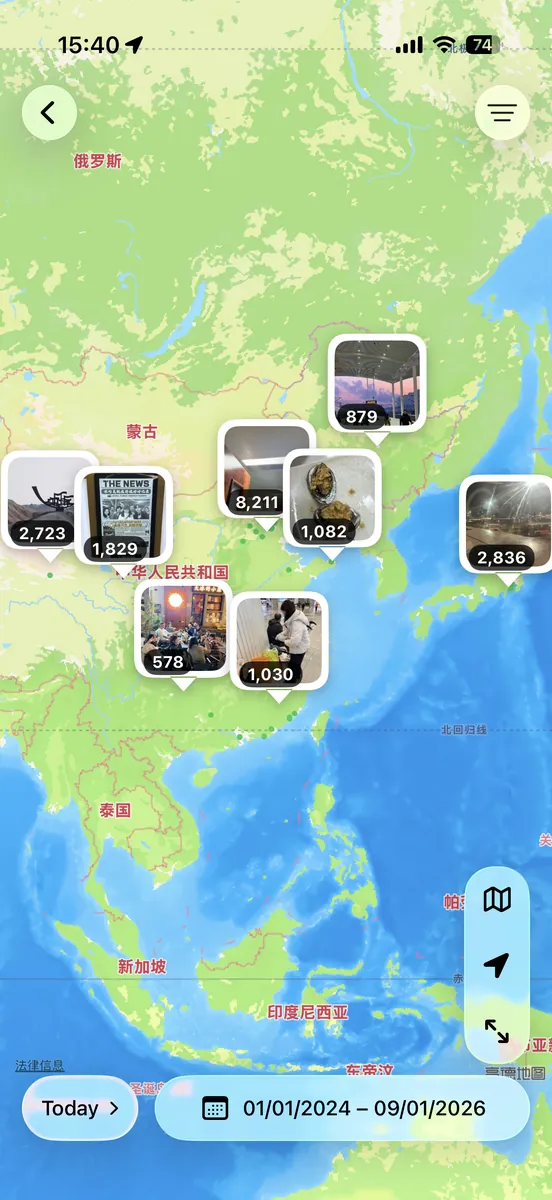
A world of places.A map of memories.
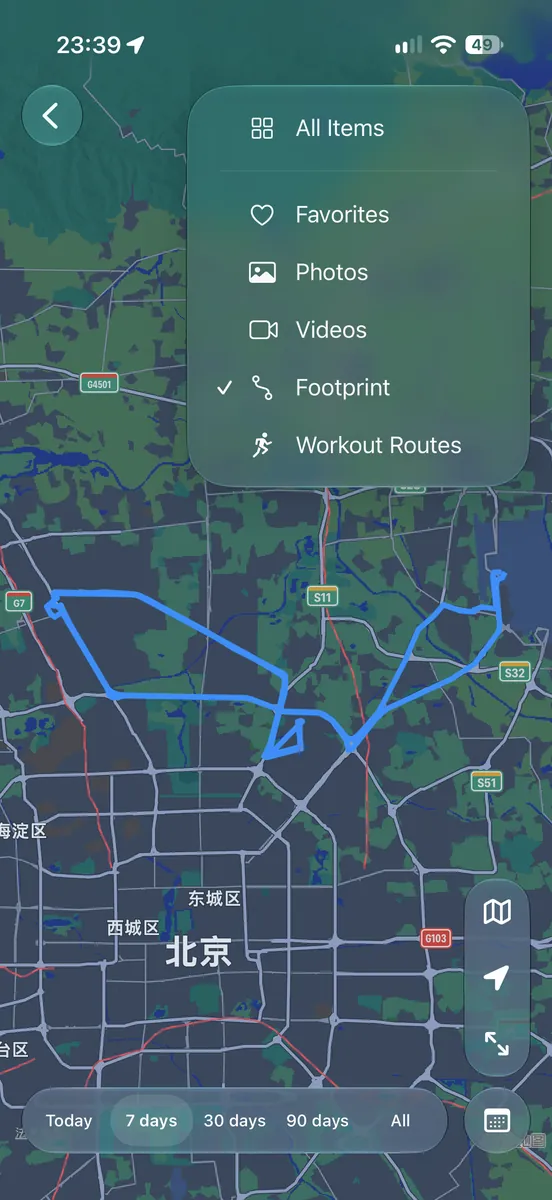
Explore photos, recorded trails, and workout routes on one map. Filter by date to revisit a journey or rediscover your own city.
- Photos, trails, and workout routes in one view
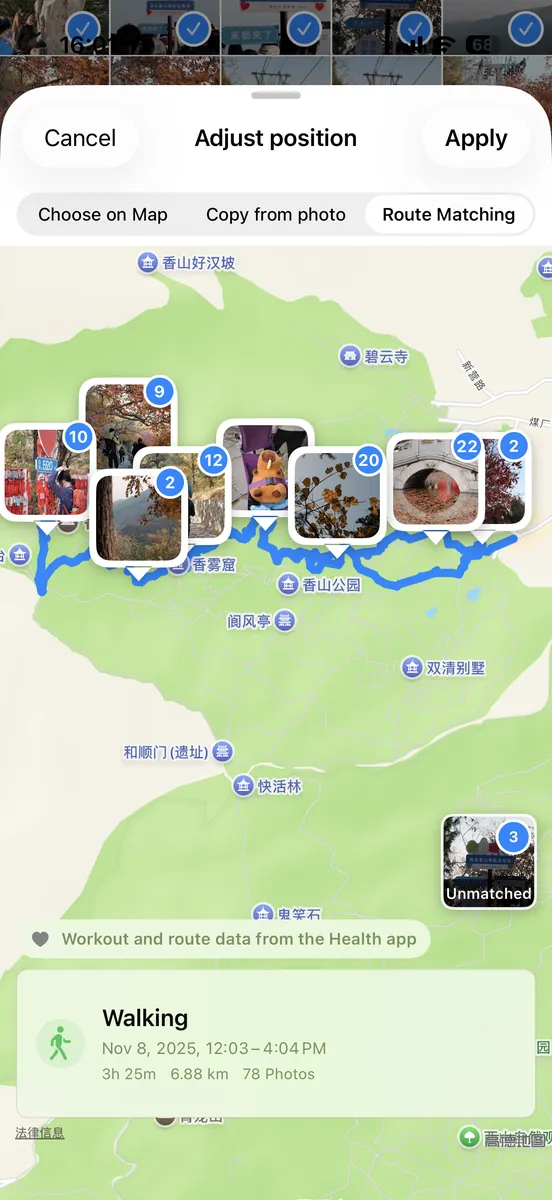
- Match photos by time to recorded trails or Apple Health workout routes, then preview and confirm their locations
ROUTES & LOCATIONS / ADD LOCATIONS TO PHOTOS
Follow your route.Find your photo’s place.
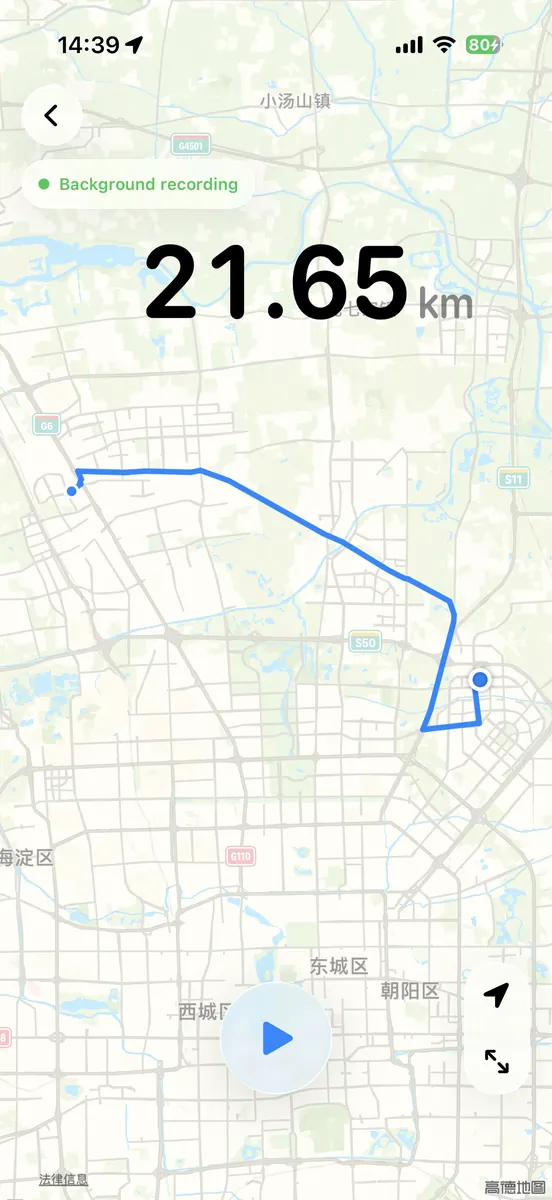
Record the route you take and help your photos find their place. Match capture times to recorded trails or Apple Health workout routes, preview the results on a map, then confirm to add locations to your photos.
- Record your trails and explore route and activity data
- Match capture times to routes, preview, then apply photo locations
02 / PERSONAL TIMELINES & MEMORIES
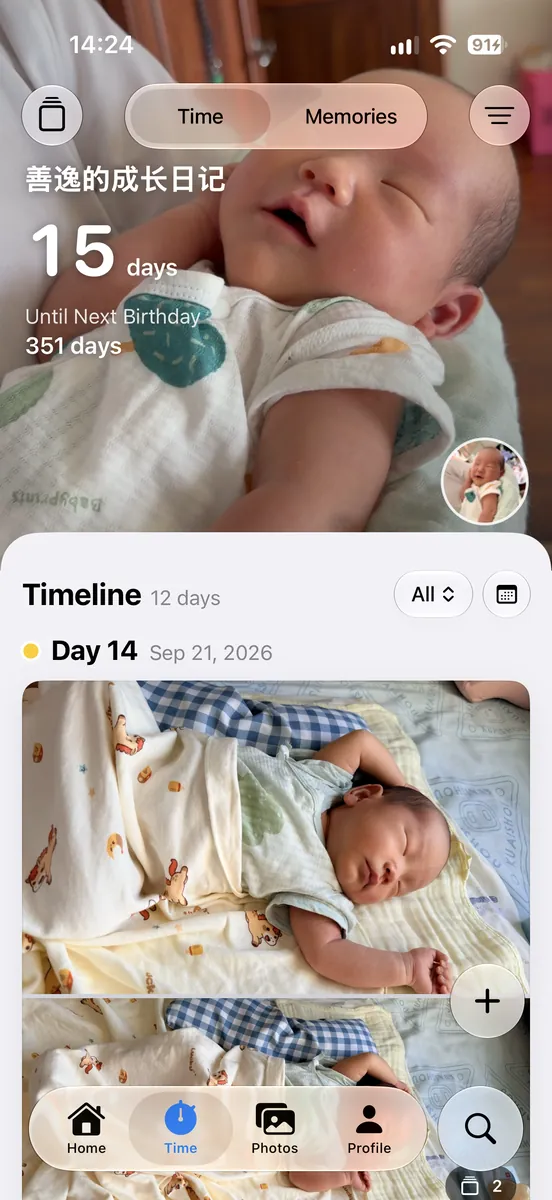
People you love.Moments to grow with.
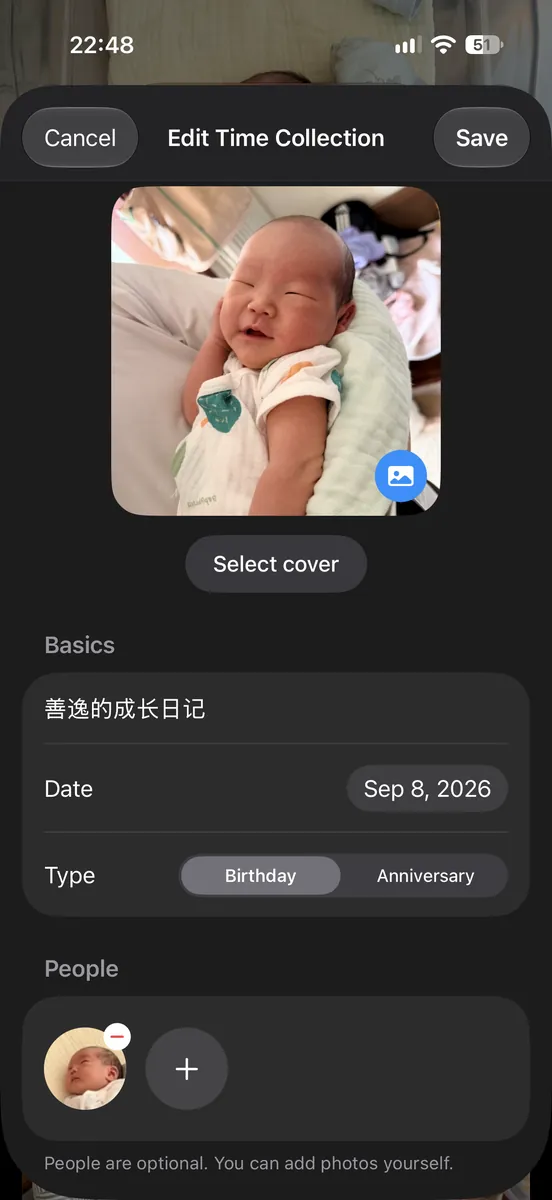
Create a personal timeline around someone, recording growth, birthdays, and milestones day by day. Choose a cover, date, and person to give those precious days a place on the timeline.
- Personal timelines for daily growth and milestones
- Customize the cover, birthday or anniversary, and associated people
MEMORIES / TRIPS, GATHERINGS & EVERYDAY LIFE
Every experience.A story to revisit.
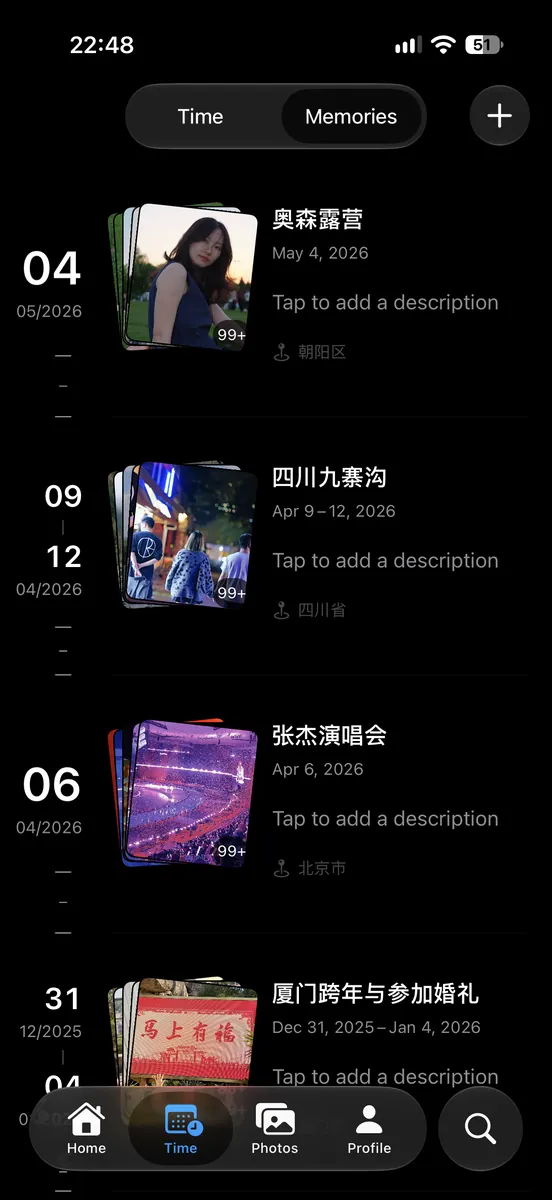
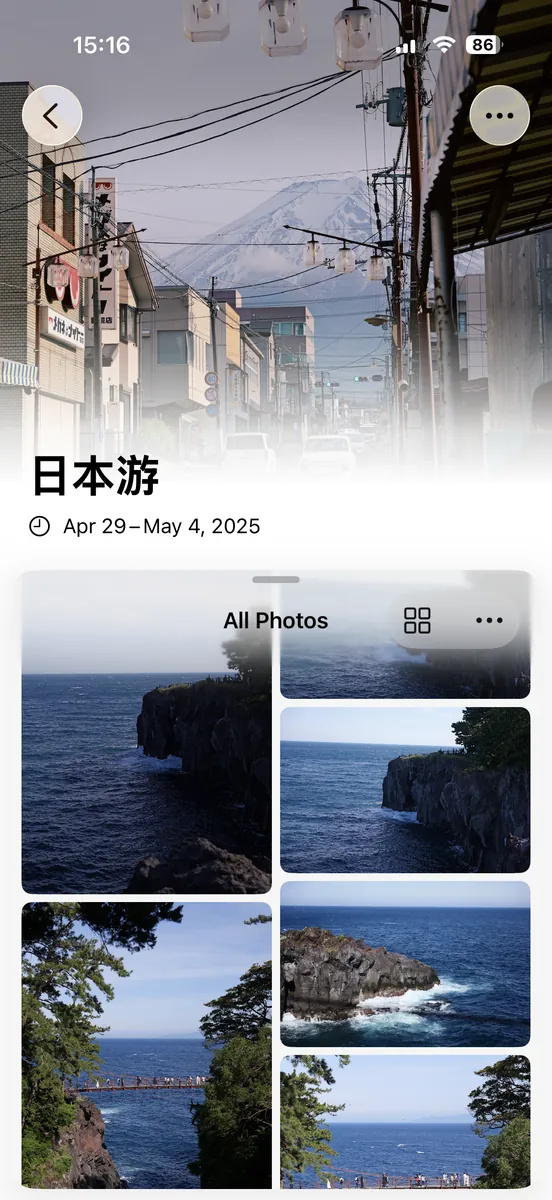
Build a memory around a trip, gathering, or important event, with its time, place, and photos together. Open an experience from your memory list and bring that chapter of life back into view.
- Browse memories by date and revisit each experience
- Open a memory to explore its dates, location, and photo collection
03 / SMART SEARCH
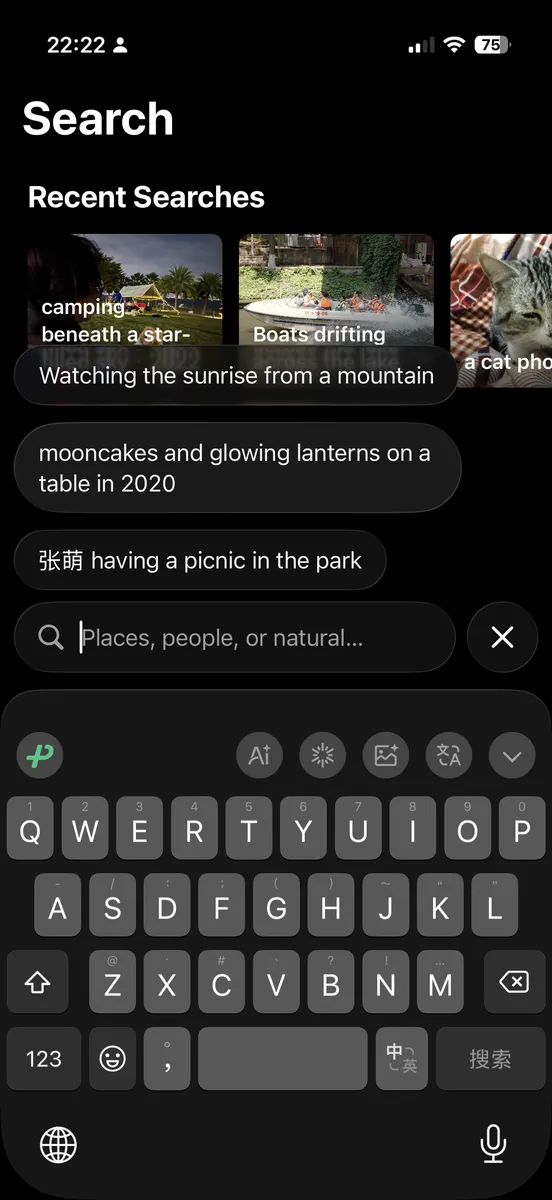
If you remember it,you can look for it.
Search by person, time, place, or a natural language description. Start with the picture in your mind, and find the moment in your library.
- Combine people, dates, and places in your search
- Describe a scene in natural language to find related photos
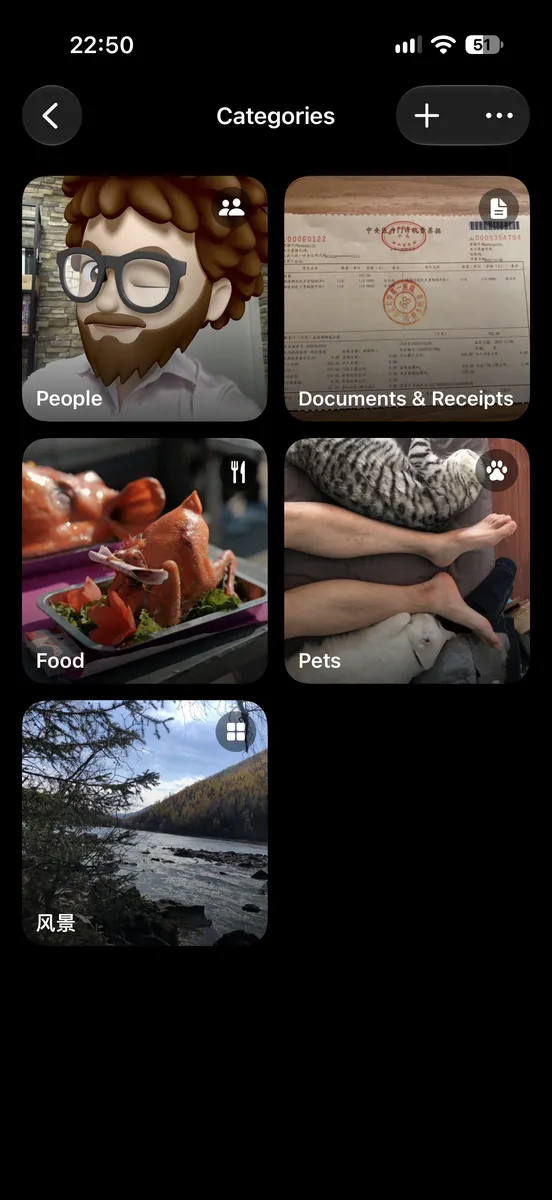
04 / NATURAL LANGUAGE SMART CATEGORIES
Describe a scene.Create a category.
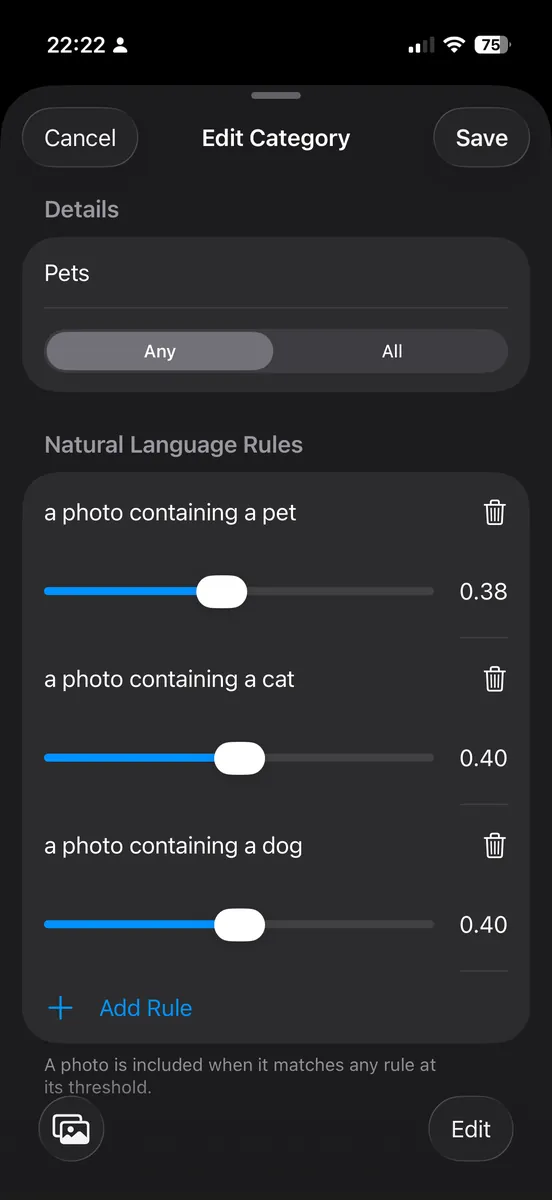
Write what you want to collect, like “a photo with a pet.” Photos are grouped by how closely they match your description. Turn a search into a personal category you can return to.
- Describe your category rules without picking photos one by one
- Combine rules, match any or all, and adjust how closely photos should match
05 / PHOTO EDITING
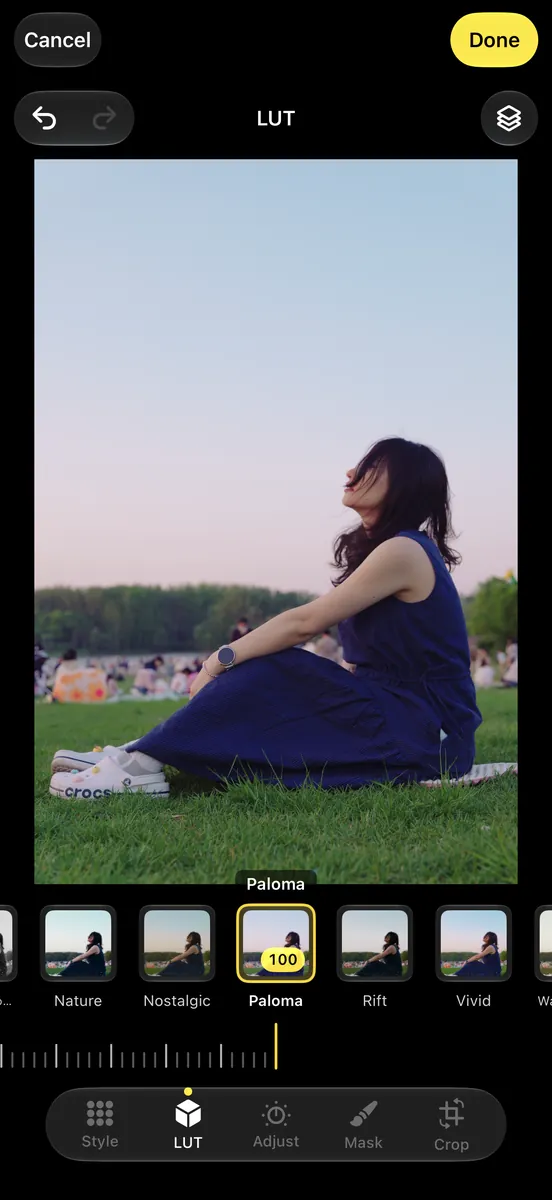
Professional color.Simple controls.
From the colors of a whole photo to the light on a single subject, clear tools give you precise control. Tap, slide, and preview your way to the look you want.
Shape the light. Own the color.
Built-in and custom LUTs meet exposure, highlights, shadows, white balance, and saturation controls to create your own look.
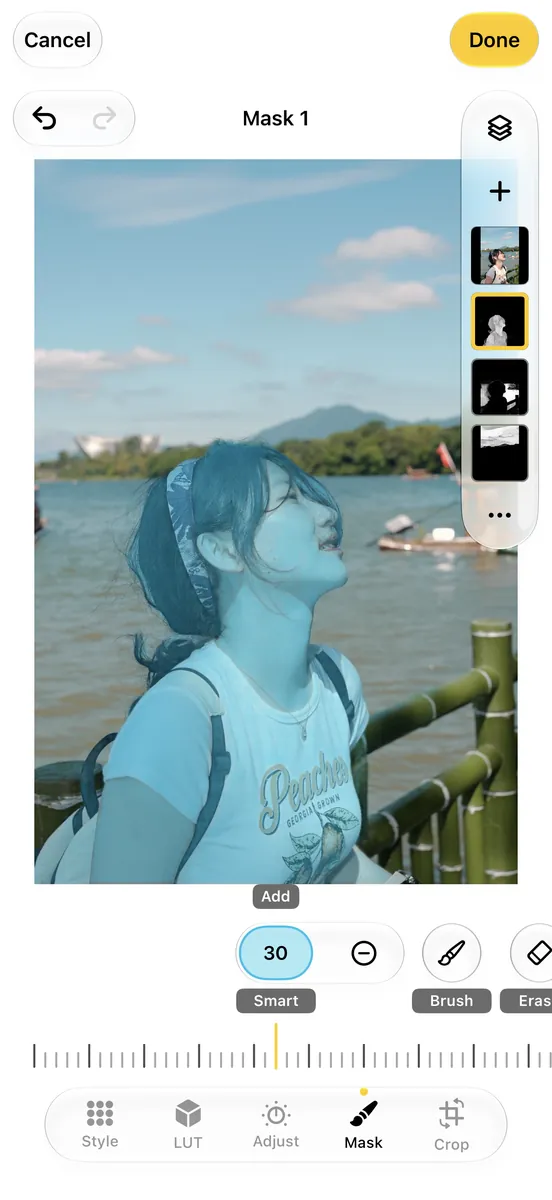
Select a subject. Refine the details.
Tap a person or pet, then refine the selection with brushes, gradients, color ranges, and luminance ranges. Put each adjustment where it belongs.
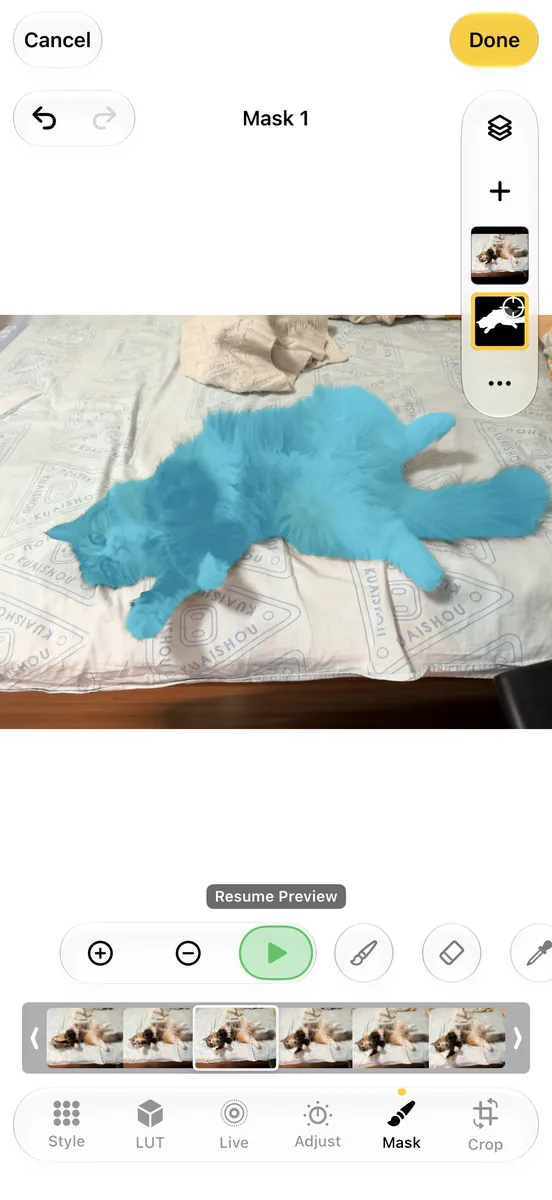
Follow the motion. Preview each frame.
Let a mask follow your subject in a Live Photo. Scrub through the timeline to preview local adjustments across the moving image.
06 / PHOTO FRAMES
A photo you love.A frame to match.
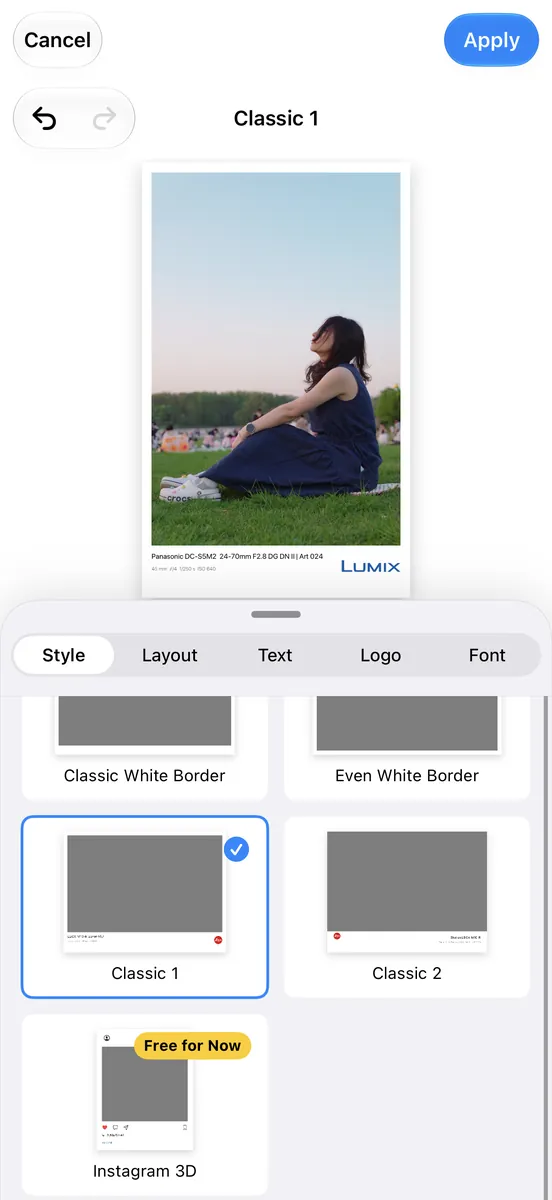
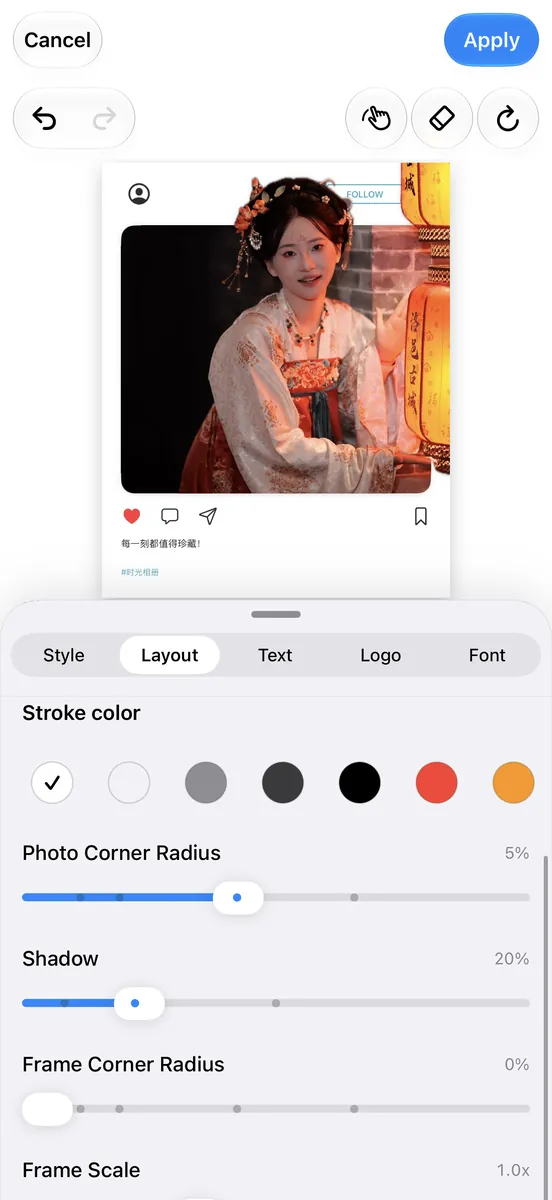
From classic white borders to Instagram 3D, choose a frame that suits your picture. Refine the layout, text, logo, and typography to show your camera details and your style.
- Photography frames with camera, lens, and exposure details
- Adjust borders, corners, shadows, and text layouts
Original photos and videos stay in your Apple photo library. Photo organization and indexing mainly happen on your device. We don’t upload your originals, videos, or edited work to developer-owned servers.
iCloud Photos, maps, and place search may use Apple’s online services. See the Privacy Policy for details.
YOUR NEXT CHAPTER STARTS HERE
Capture your lifeKeep your moments
Open KiroPhotos and rediscover the stories in your photos
Download on the App StoreMade for iPhone · Requires iOS 17 or later
Scan with your iPhone camera to open the App Store
Real app screenshots. Sample content is shown to demonstrate features.